

Tutorials
Learn the basics


Product editing.
Update an existing product

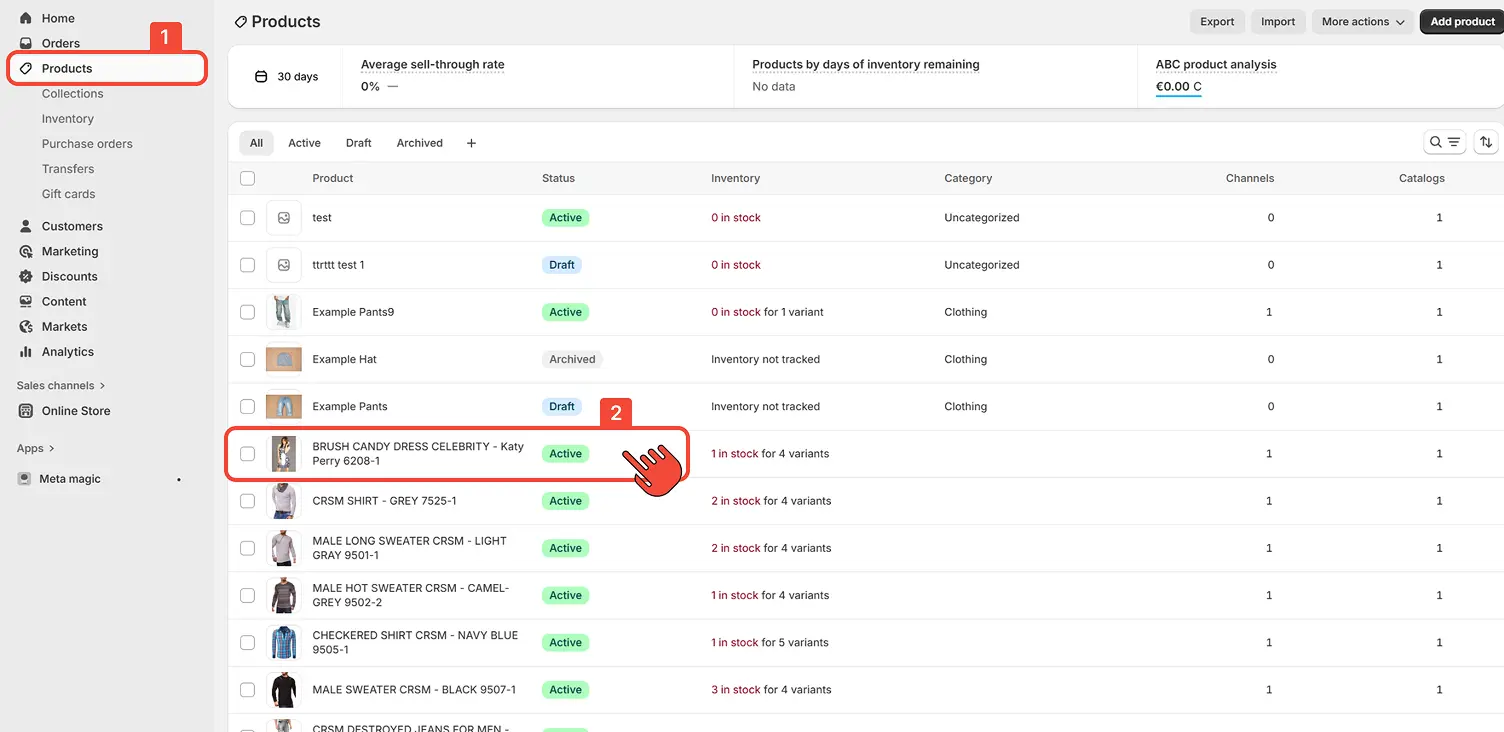
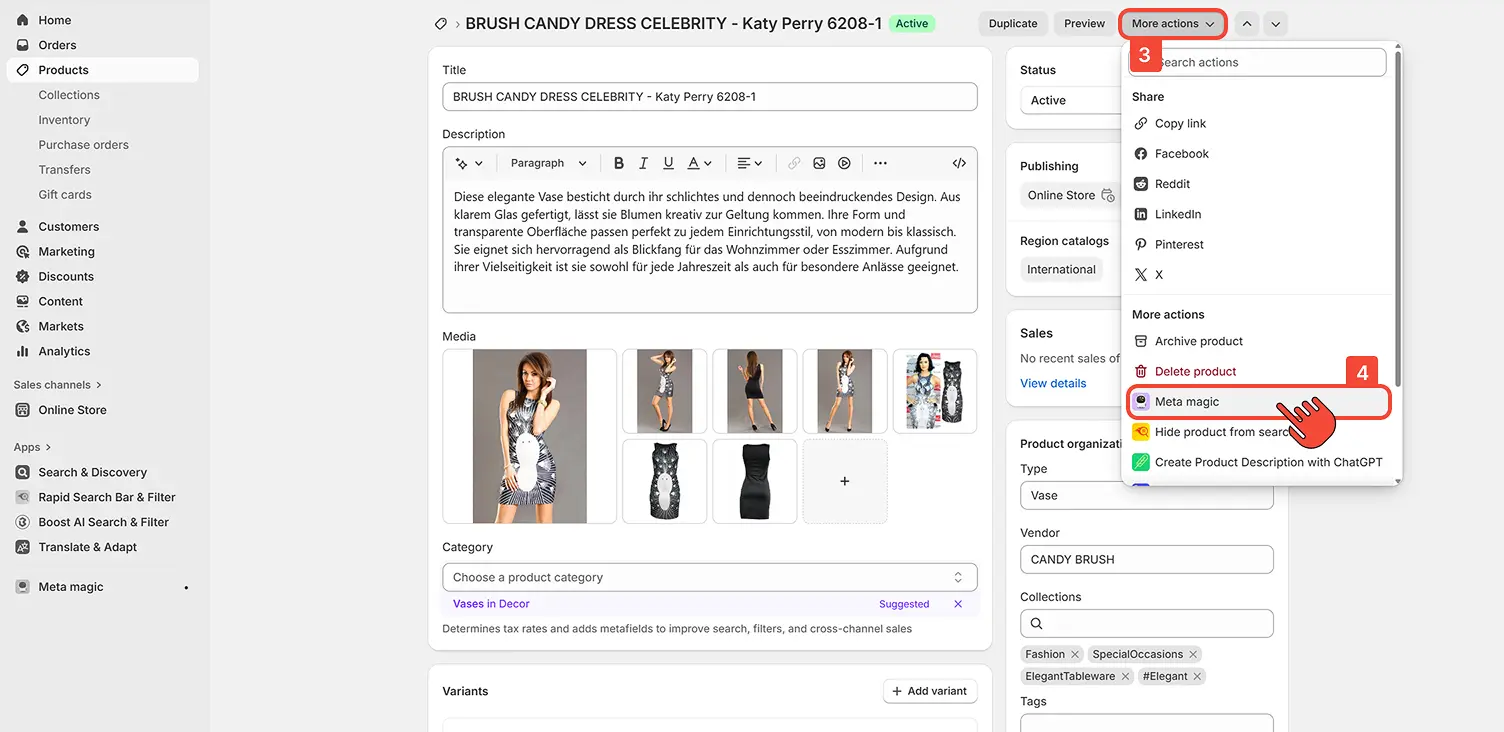
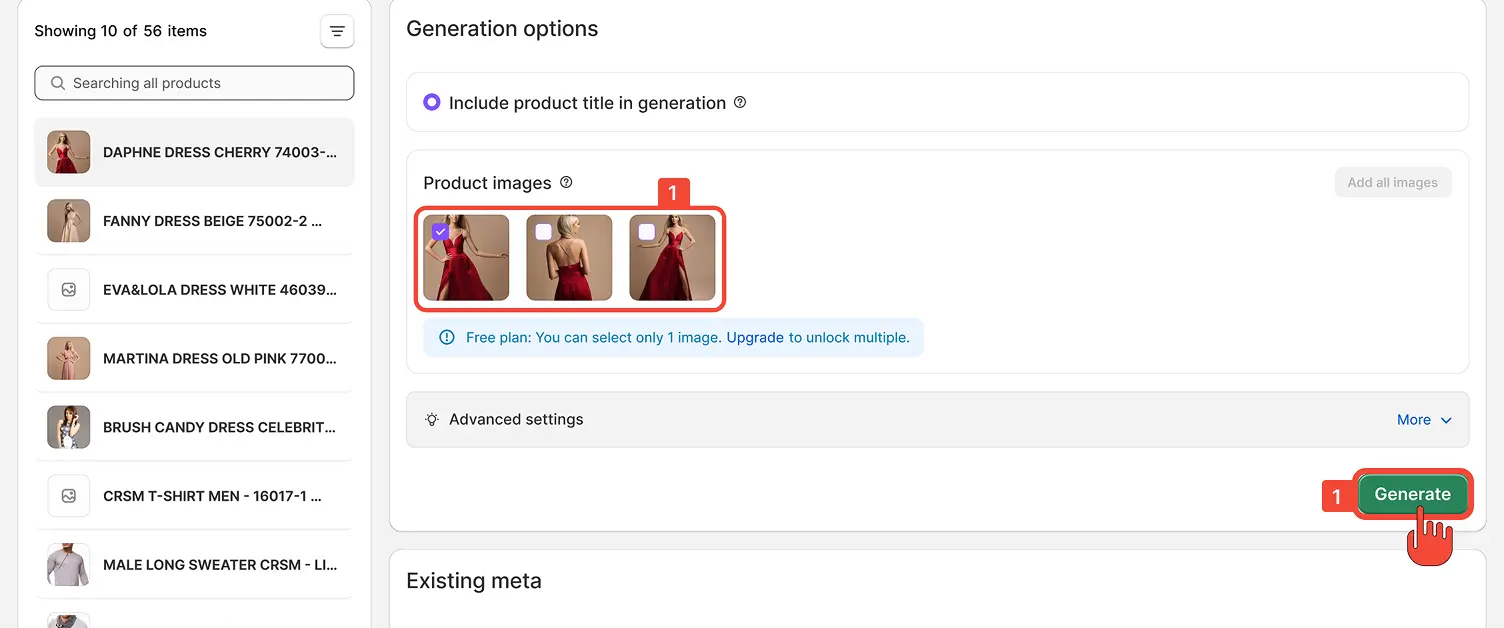
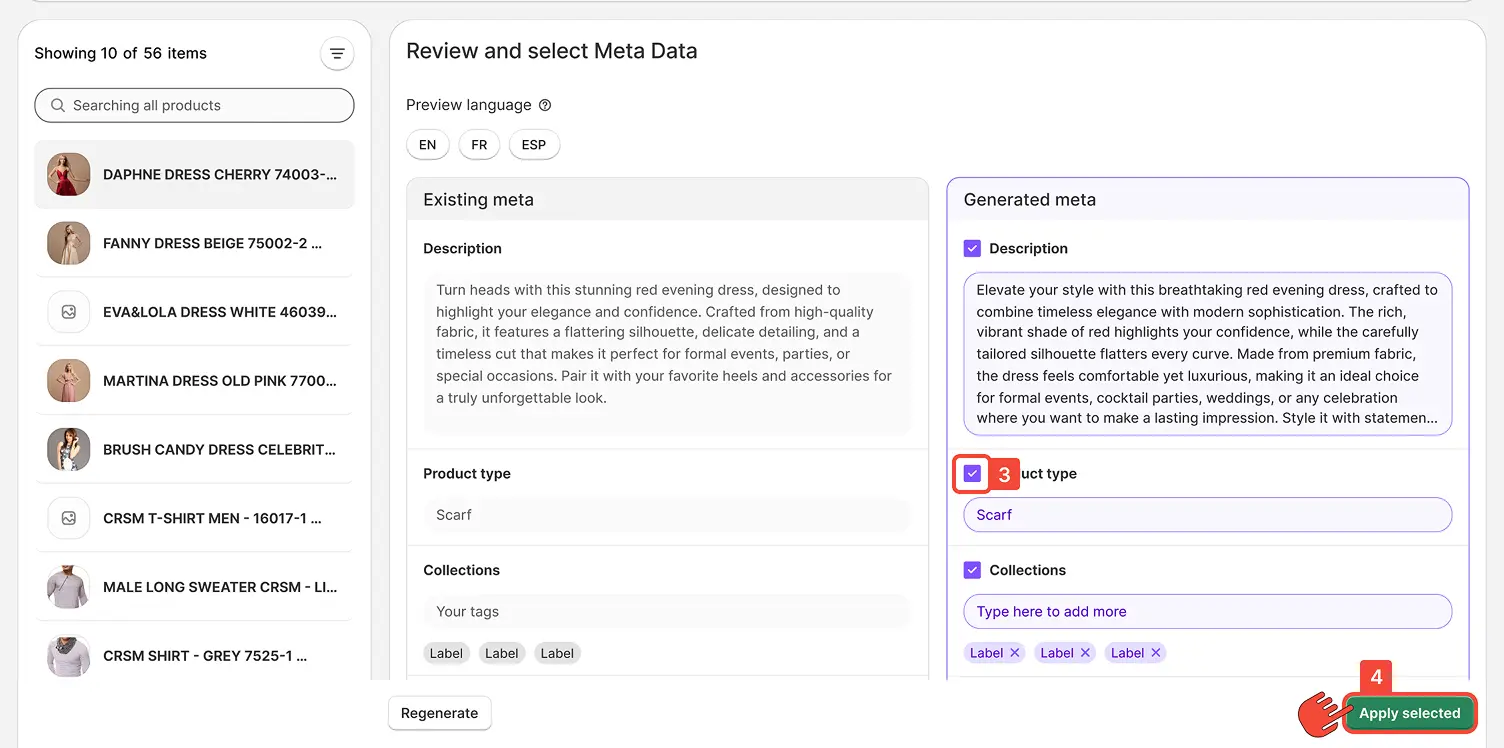
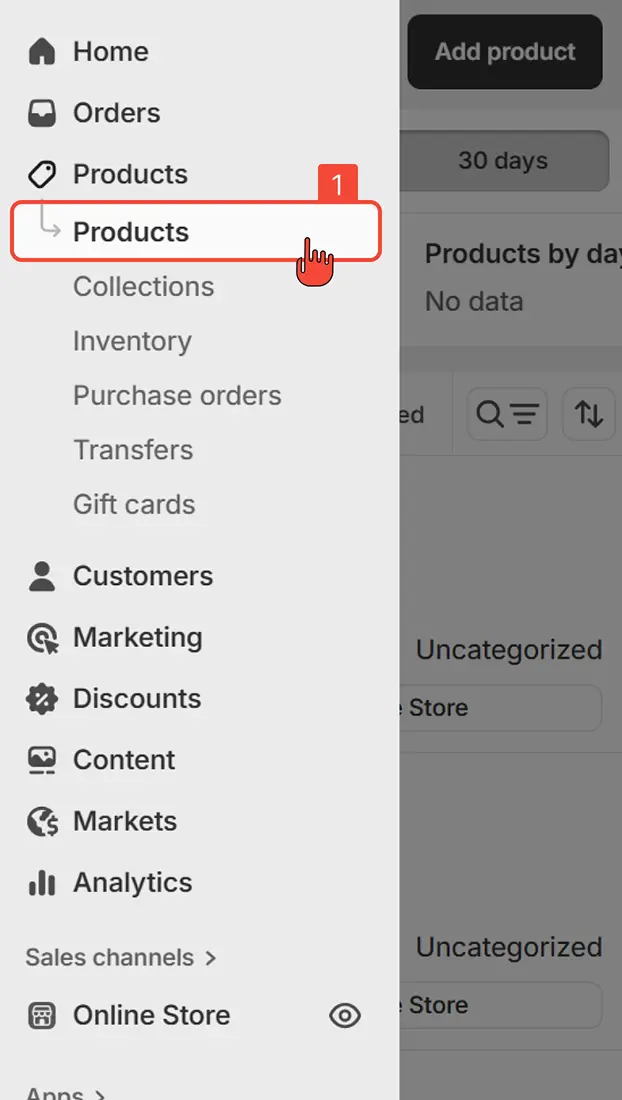
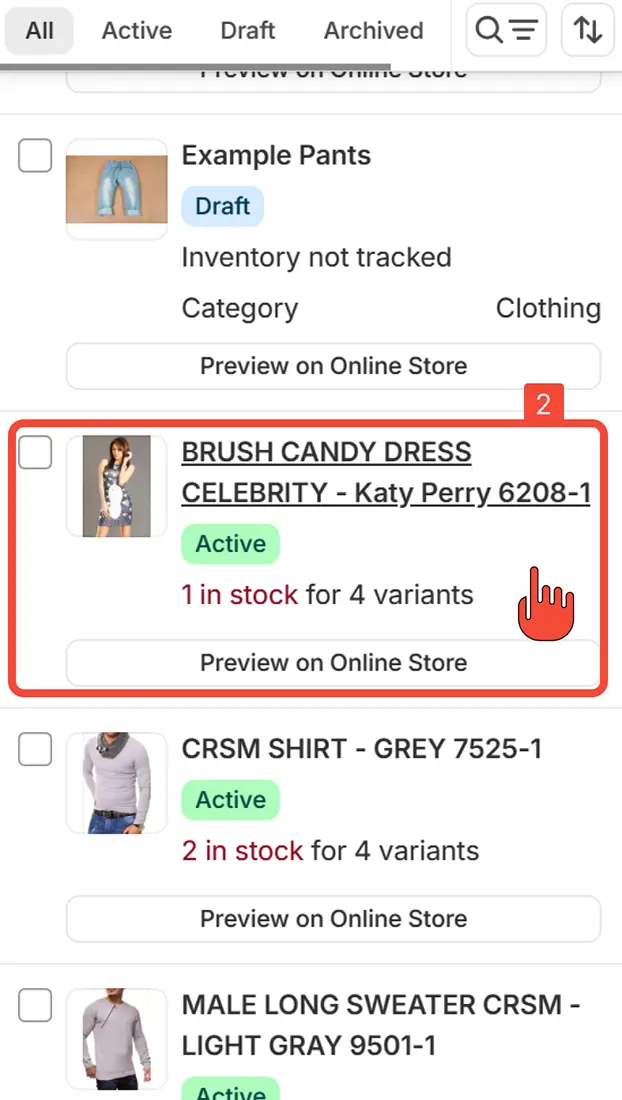
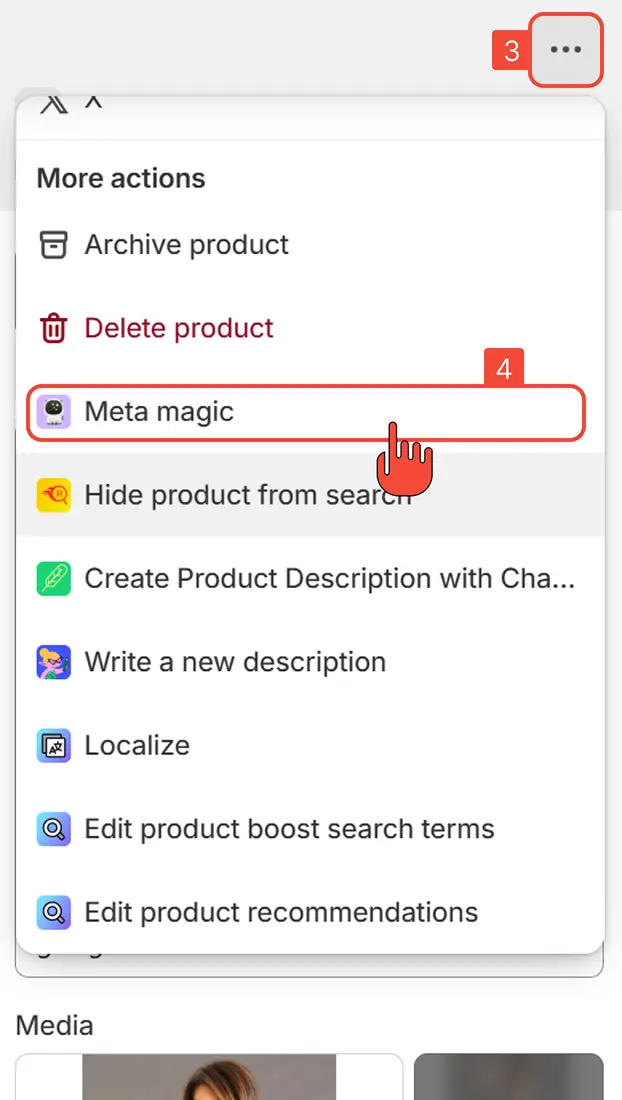
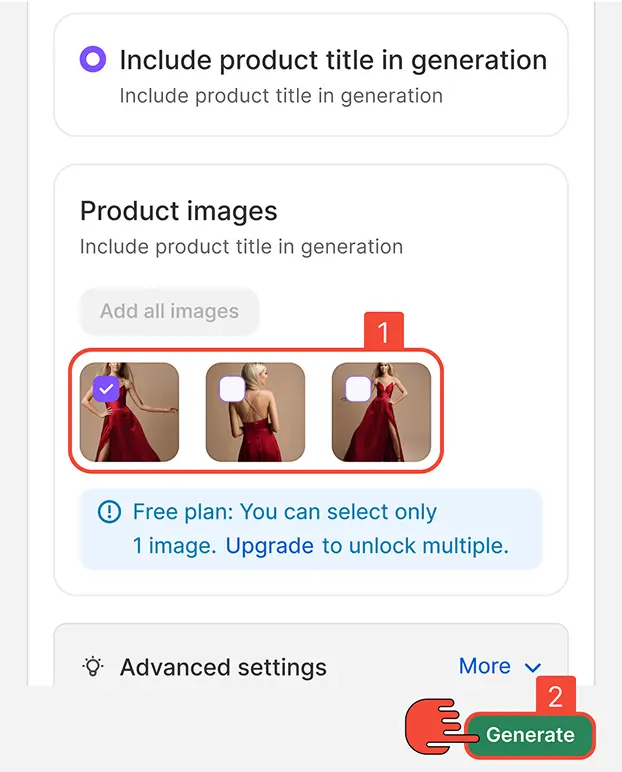
You can edit your existing products using the Meta Magic app in two ways - directly from the app dashboard or from any product page in your Shopify admin.
from Dashboard
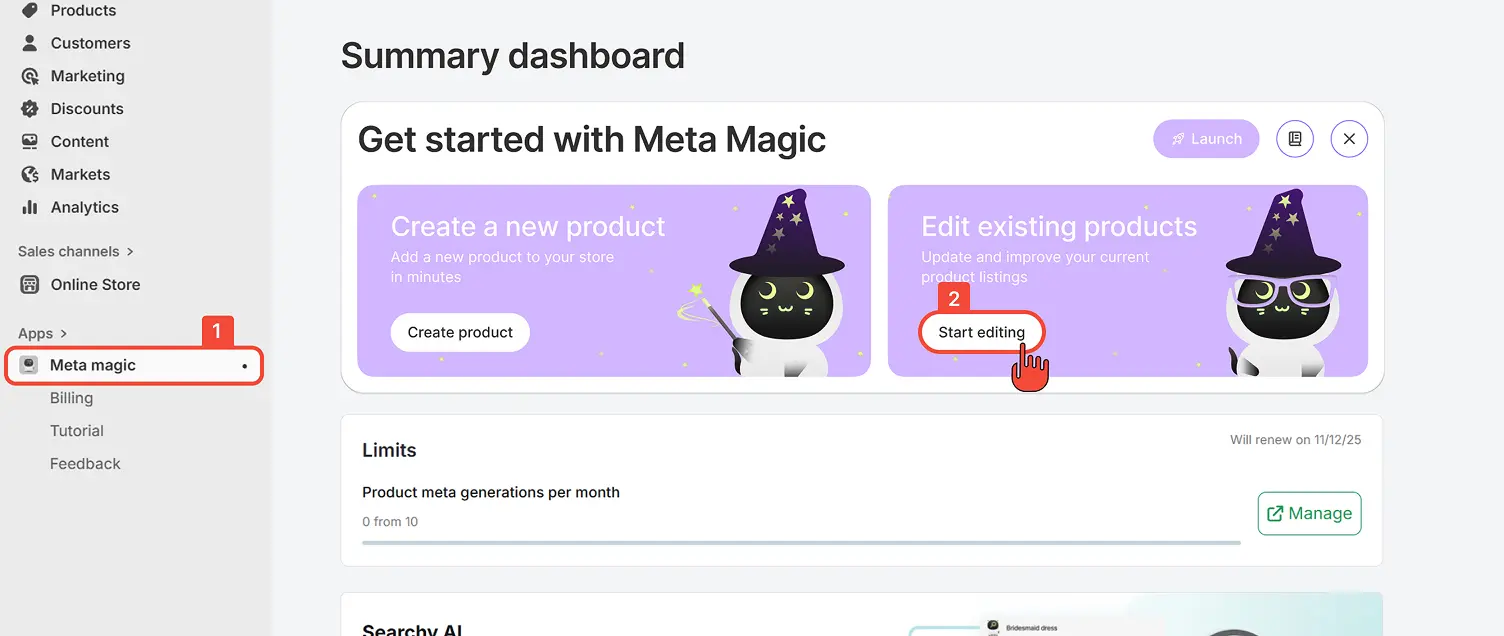
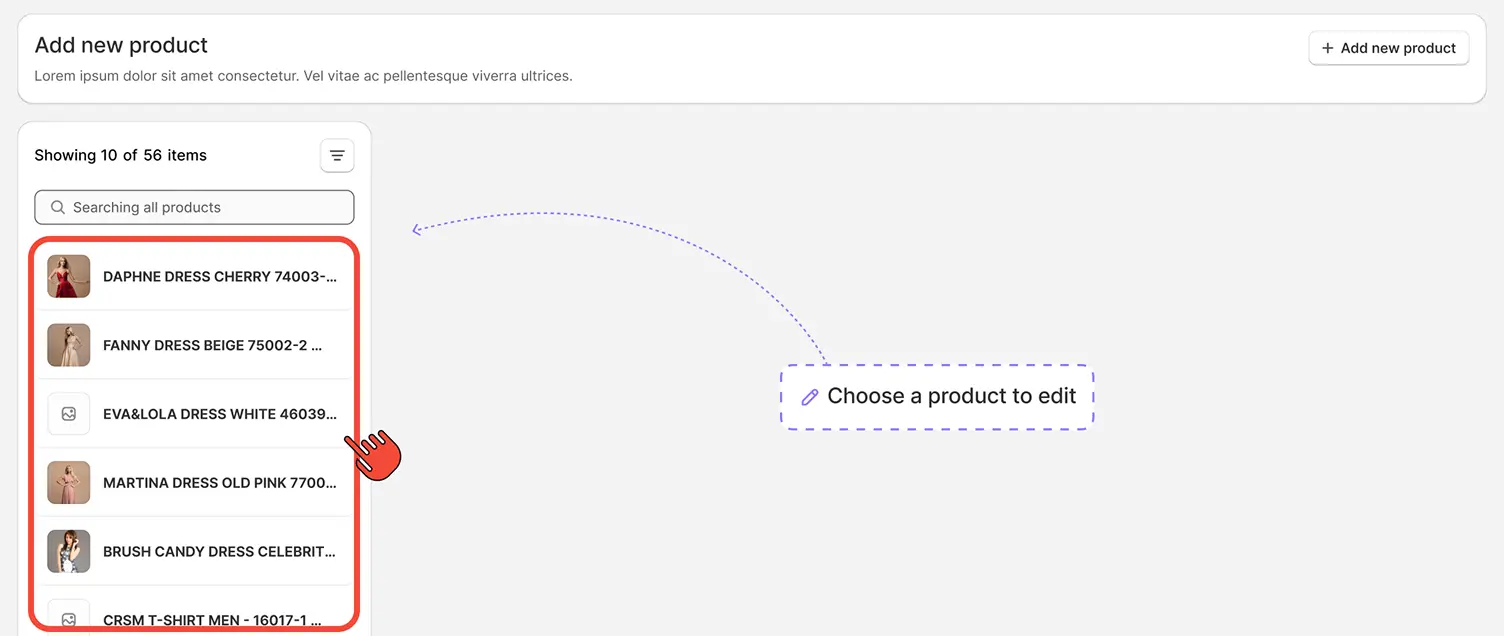
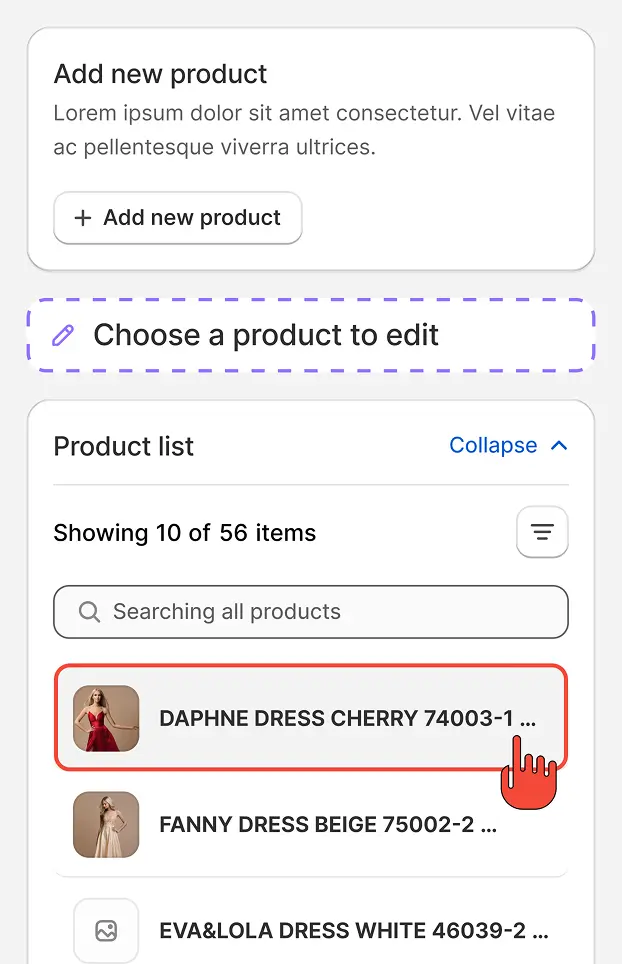
In your Shopify admin, open the app to view its dashboard. Click Start editing. A new window will open, where you can choose the product you want to edit.
You can edit your existing products using the Meta Magic app in two ways - directly from the app dashboard or from any product page in your Shopify admin.
from Dashboard
In your Shopify admin, open the app to view its dashboard. Click Start editing. A new window will open, where you can choose the product you want to edit.