

Tutorials
Learn the basics


Product editing.
Batch update

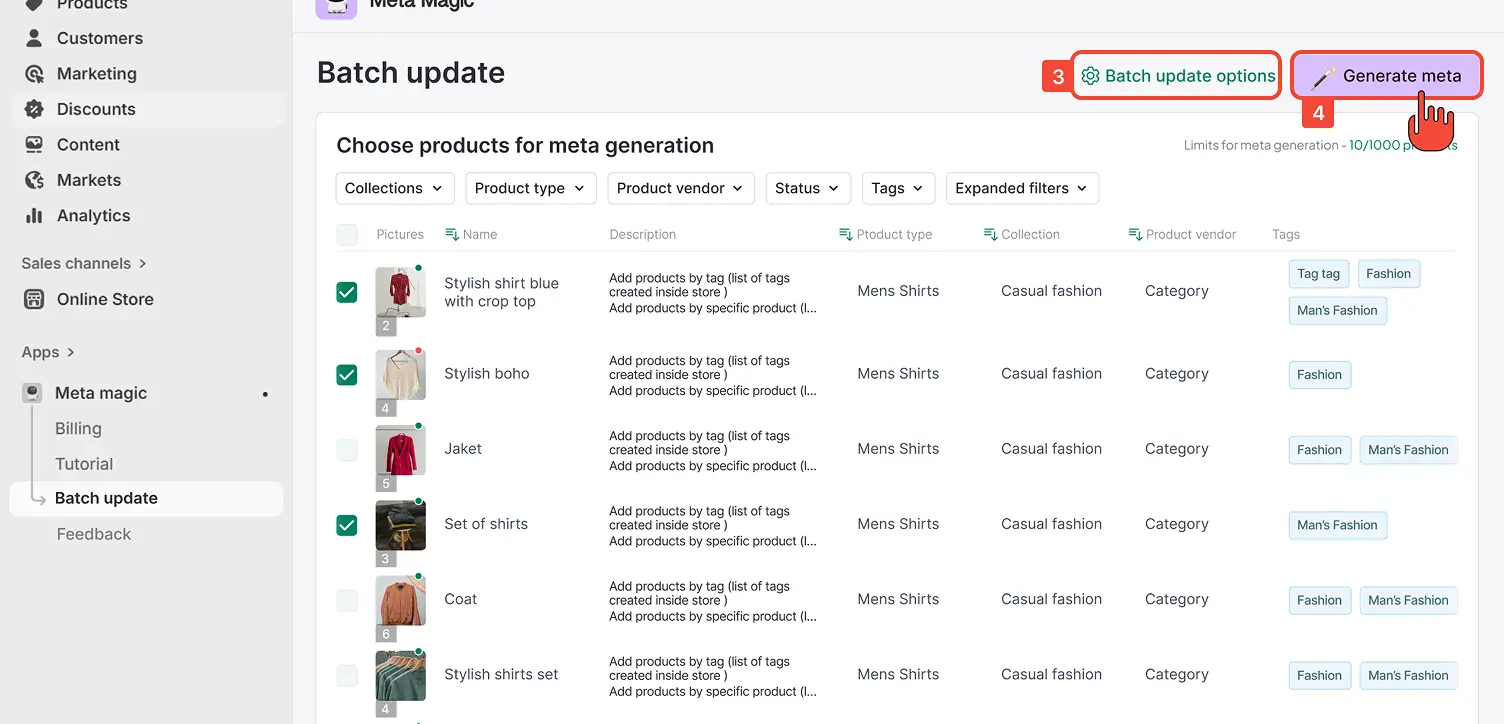
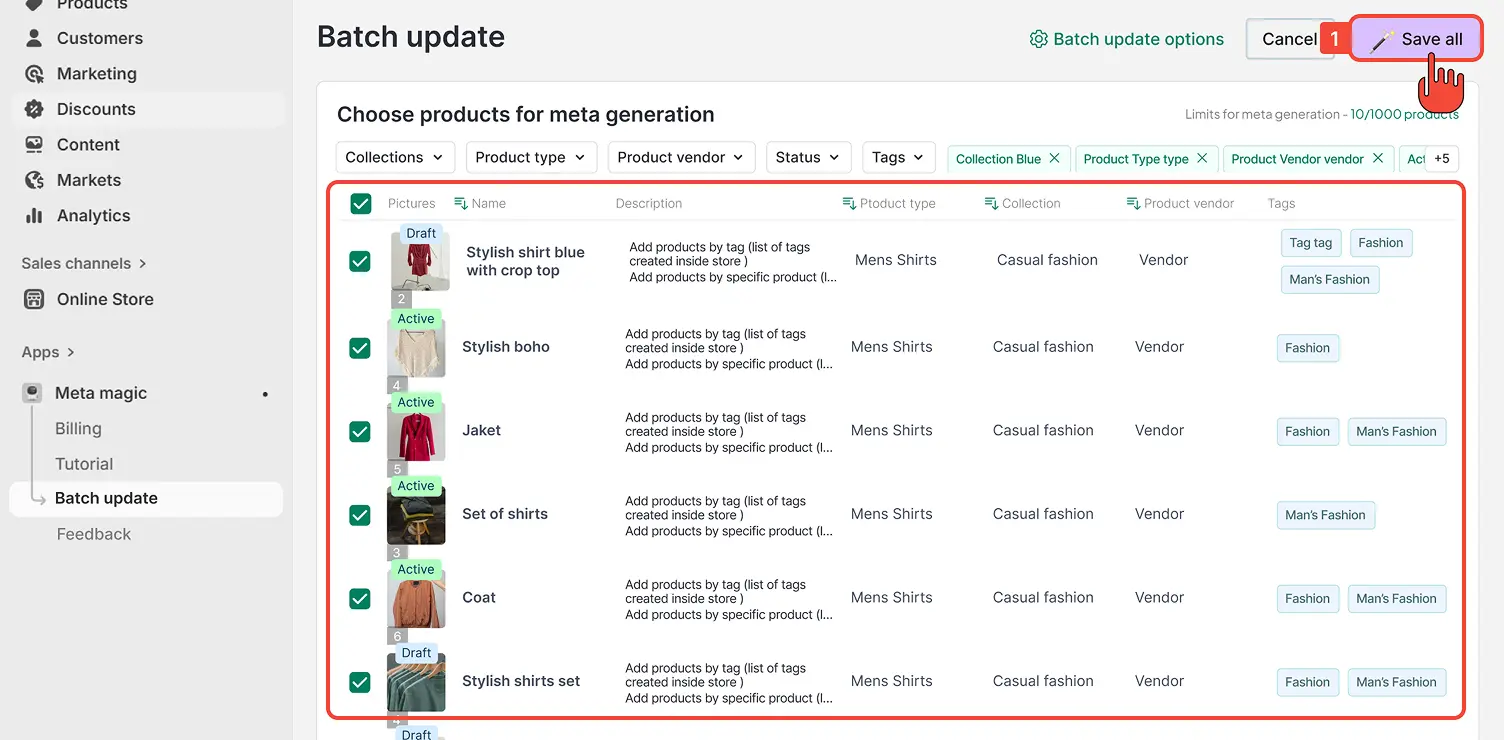
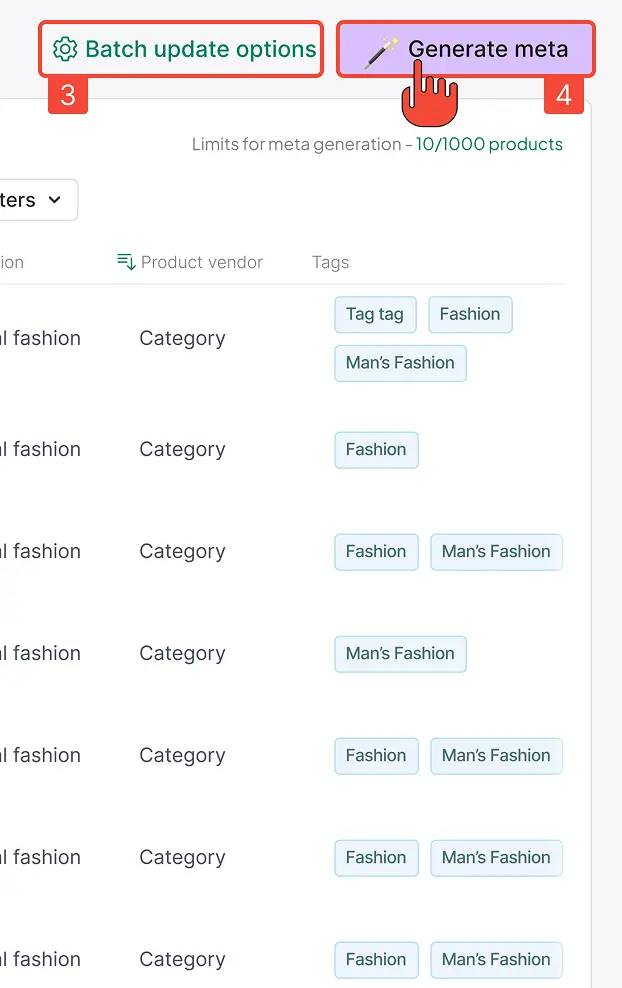
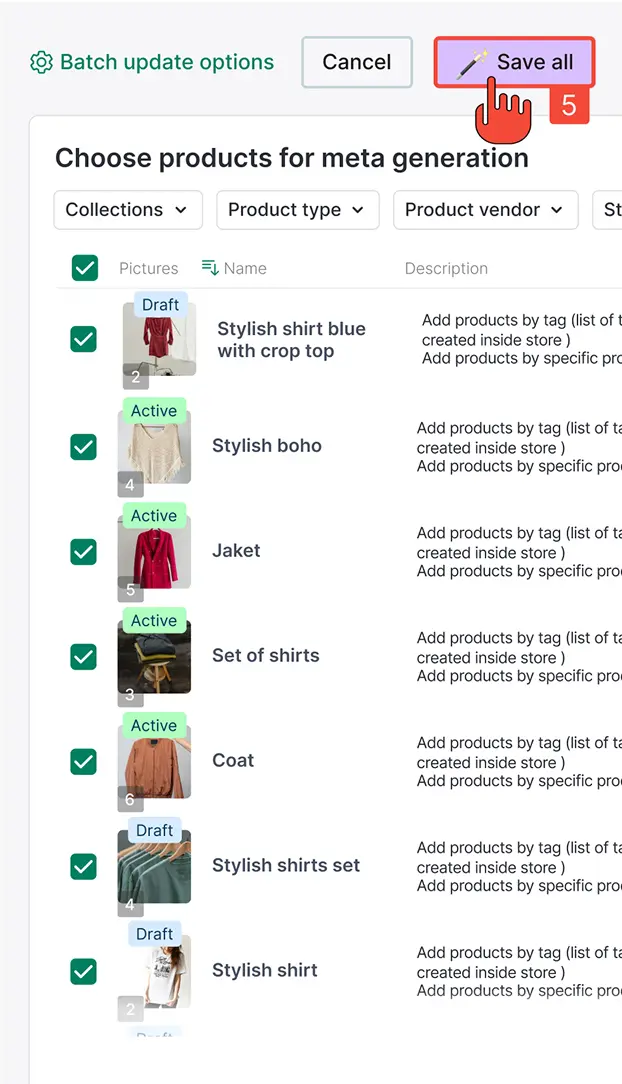
The Batch update feature allows you to generate and apply new product metadata for several products at once.
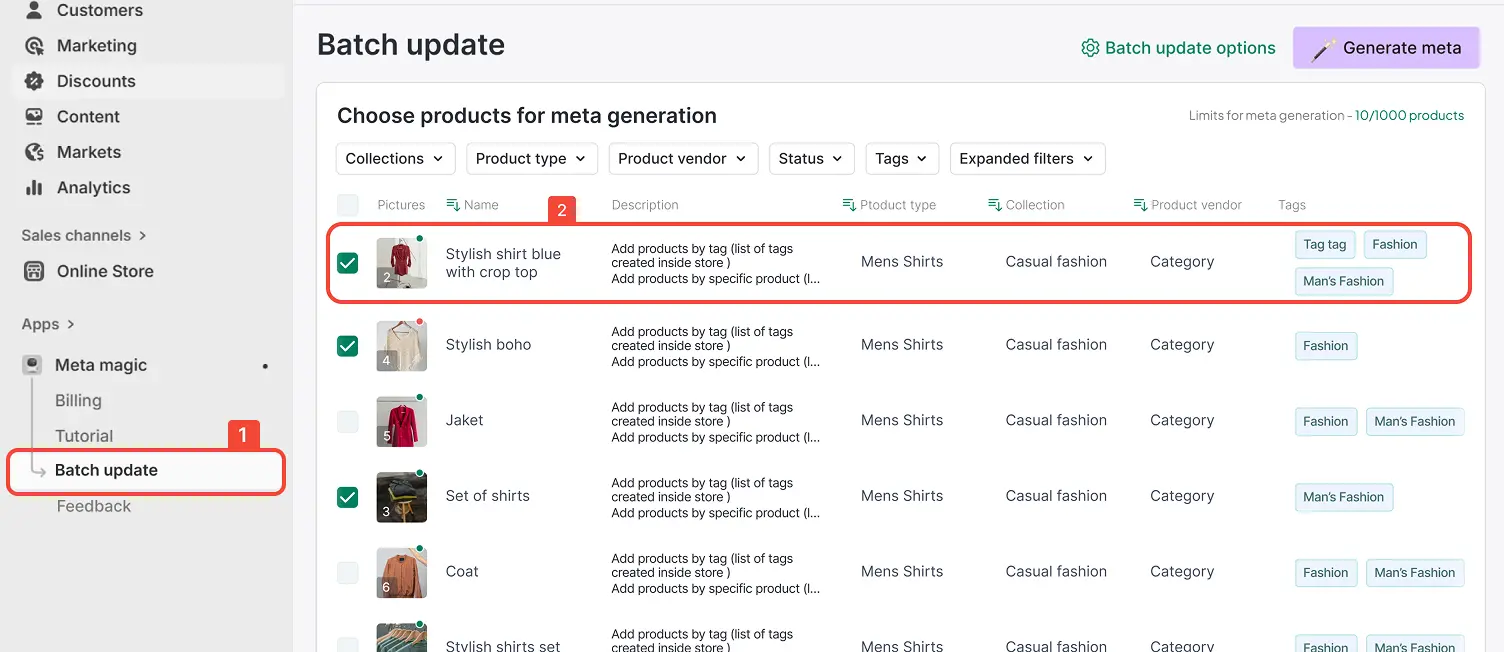
- Step 1In the Meta Magic app menu, select Batch Update from the navigation panel.
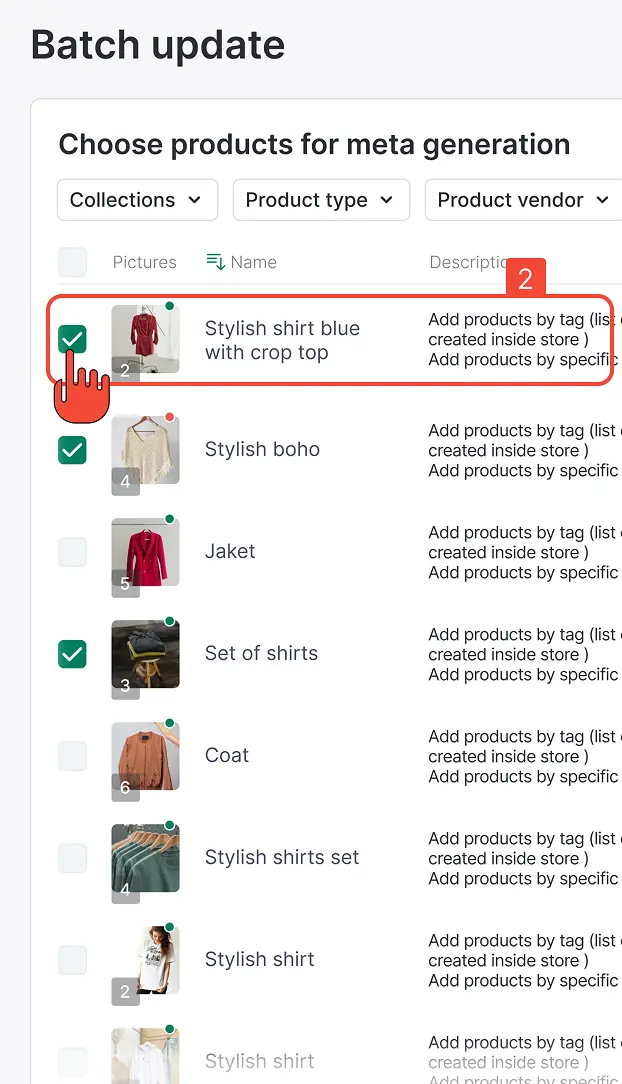
- Step 2Select one or more products you want to edit or regenerate metadata for.
The Batch update feature allows you to generate and apply new product metadata for several products at once.
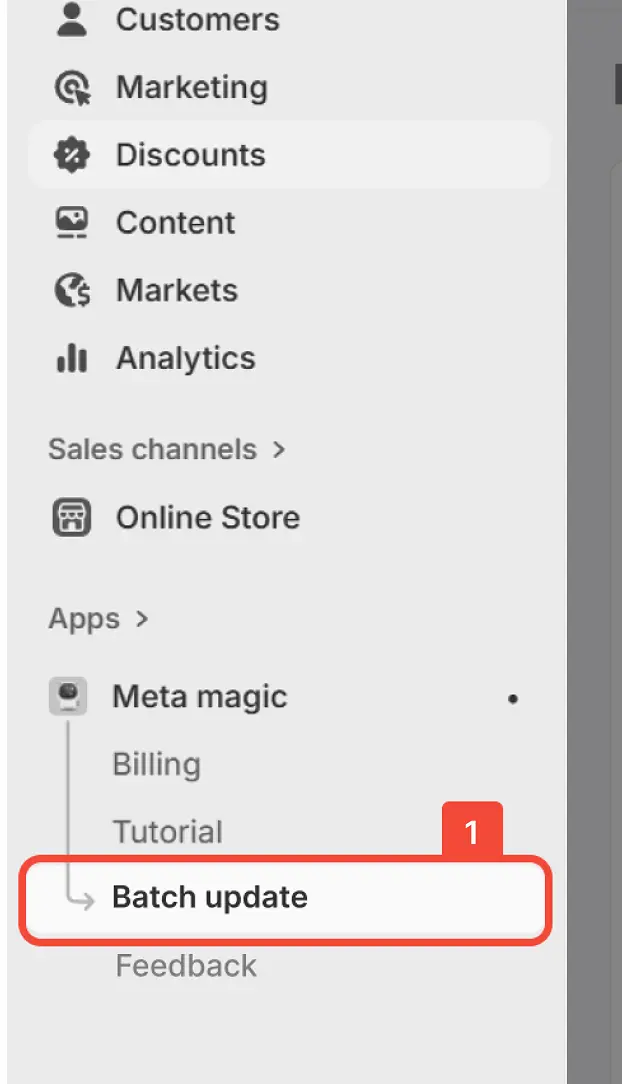
- Step 2In the Meta Magic app menu, select Batch Update from the navigation panel.